Finish the module you’re working on
Try to complete at least one whole module at a time. It’s much easier to learn that way.
Each module has lots of sections.
When you finish a section, move on to the next section within that module, as shown below.
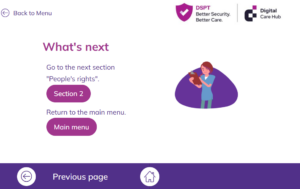
Go to the next part of the course
When you have finished all of the sections in the module, you should go back to this page on the Digital Care Hub website where you can see all of the elearning modules.
From here, choose your next module or take the assessment.
If you want to take a break
You can stop at any time. Leave your elearning web pages open. If you close them, the computer will not remember where you are on the course or what you have done so far.
If you’re using a shared computer
If someone else might use the same computer or device as you to complete the course, it’s really important that you close down the web page with the elearning module. If you don’t, the computer thinks you’re still completing the course and it will confuse your colleague.
Look at the top of your screen. You will see tabs with the names of the web pages that you have open. Click on the X in the tab with the name of the elearning page on it. Close all of the tabs to do with the course – including the assessment.
If you’re not sure what to do, ask the person who normally uses that computer, or check with your manager or training lead who asked you to complete the elearning course.